If you’re looking for new ways to reach a wider audience, repurposing your blog posts into audio assets is a smart move. Podcasts, audiograms, and narrated blog episodes are all on the rise, with millions of listeners tuning in every month. This shift isn’t a fad, it’s how people want to learn, multitask, and enjoy content today.
Turning your blog content into engaging audio unlocks fresh opportunities for bloggers and businesses. You can attract busy readers who prefer listening during their commute or workout, make your content more accessible, and even improve your brand’s reach on fast-growing platforms like Spotify and YouTube. We’ll show you why adapting your writing for audio is not only possible, but also practical and rewarding.
Why Repurpose Blog Content Into Audio?
Repurposing blog content into audio is more than a creative experiment but it’s a smart way to make the most of your hard work. Readers have more choices than ever, and many now prefer to listen instead of scroll. By turning blog posts into audio, you can reach people in their cars, at the gym, or while they work. It’s an easy way to make your ideas travel further and work harder for you.

Reach a Wider Audience
Not everyone has time to read or wants to. Audio offers a second chance to grab the attention of people who prefer podcasts or audio snippets. When you add audio to your content mix, you open the doors to:
- Folks who listen during commutes or chores
- Those with visual impairments
- Podcast fans who stick to audio platforms
Audio gives your content wheels. Each episode, audiogram, or narration shares your ideas far beyond where your blog lives.
Improve Accessibility
Accessibility isn’t just a buzzword. Some people can’t or won’t read long blog posts, whether due to visual challenges, reading difficulties, or busy hands. Audio gives them another way in. Here’s how it can help:
- Screen reader alternatives for those with low vision
- Relief for people with reading struggles or text fatigue
- The freedom to consume content on the move
Giving listeners options helps everyone feel welcome.
Cater to Audio-First Audiences
Podcasts, smart speakers, and audiobooks are everywhere. Millions of people now prefer to listen first and maybe skip the written word entirely. By offering audio versions, you talk directly to:
- A growing community of podcast subscribers
- Younger audiences who want quick, portable content
- Professionals who fit learning in between meetings
Meeting listeners where they are helps you stay top of mind.
Maximize the ROI of Existing Content
You’ve already put energy into your blog posts. Turning them into audio turns one investment into several. It’s about doing less, but getting more out of it. Key advantages include:
- Squeezing extra value out of every piece you write
- Making content last longer (audio repurposing adds a fresh spin)
- Boosting discoverability on platforms like Spotify or Apple Podcasts
It’s the content version of a two-for-one deal.
Audio Formats for Repurposed Blog Content
If you’re thinking about turning your written blog into audio, the way you package your sound matters. Not every audio format fits every purpose, and the right choice can mean the difference between a professional-sounding show and a scratchy phone recording. Each format has its strengths depending on your audience, your goals, and where you want your content to play. Let’s walk through the most useful options for voice content repurposing from traditional podcasts to interactive voice tools.
Narrated Blog Posts
Narrated blog posts are exactly what they sound like: you or a narrator reads your post word-for-word or in a lightly edited style. You’re giving listeners a hands-free way to enjoy your writing. Here’s what works best:
- MP3: Popular and supported almost everywhere, MP3 keeps files small and quality high enough for speech. Great for quick downloads and easy sharing.
- WAV: If you aim for premium sound with zero loss, use WAV during recording and editing. Later, you can convert to smaller formats like MP3.
- AAC: Slightly better sound than MP3 at the same size, AAC is the default for Apple devices and many apps.
Best for: Embeds on your blog, newsletter audio, or easy DIY podcasts.
Podcasts
Podcasts take your content a step further. You can add host banter, listener questions, music, and interviews to build a show. The format also determines where your file can go and how fast it streams.
- MP3: Still the top choice for podcast distribution. Every podcast app supports MP3, making it the safest pick for maximum reach.
- AAC (in MP4 containers): Some shows use AAC if they want chapters, images, or enhanced playback controls. Just double-check that your host supports it.
- OGG or Opus: These formats work well for advanced creators targeting fans on platforms like Spotify or web streaming, but they aren’t as universal.
Best for: Submitting to Apple Podcasts, Spotify, and Google Podcasts.

Audiograms and Social Media Clips
Need a bite-sized way to promote your blog on social media? Audiograms are short audio snippets paired with captions, images, or waveforms. They grab scrolling thumbs and turn listeners into site visitors.
- MP4: Most audiograms are video files (yes, really). Social networks favor MP4 video with your audio playing behind a visual. Keep the audio in crisp MP3 or AAC before turning it into video.
- MP3: For platforms that allow pure audio (like Twitter Spaces or Clubhouse), stick to MP3.
Best for: Instagram, Facebook, LinkedIn, Twitter, and TikTok teasers.
Voice Assistants (Alexa Skills, Google Actions)
If you want readers to listen hands-free via smart speakers, you’ll need to package your audio for specific platforms. Each one has rules about format, length, and quality.
- MP3 (at set bitrates): Most smart speakers and voice apps prefer MP3 files, but with tighter requirements on bitrate and sampling (usually 48kbps and mono or stereo).
- Opus: Some platforms, like Google Assistant, may support Opus for even faster streaming.
Best for: DIY Alexa Skills, Google Action briefings, and interactive content using smart home devices.
Step-by-Step Process: Transforming Written Content Into Audio
Turning your blog posts into audio means more people can enjoy your work on their own terms. Whether they’re tuning in during a commute or unwinding after work, a well-made audio version brings your writing to life. To get strong results, follow a straightforward process and adapt your script for ears instead of eyes, capture clean recordings, and edit so everything sounds smooth and professional. Let’s walk through each key stage.
Adapting Blog Content for Audio Consumption
Your blog post may look perfect on the screen, but spoken words connect in a different way. Listening is a completely separate experience from reading. To prepare, start by making your writing match how people talk:
- Shorten long sentences. Short, direct phrases and clear ideas help listeners stay with you.
- Swap complex terms for plain words. Unless your niche demands technical jargon, use ordinary language.
- Add verbal cues. Include words like “first,” “next,” or “finally” to help listeners follow your points.
- Make it conversational. Use “you” and “we.” If it feels like you’re speaking to a friend, you’re on the right track.
- Break up text. Turn big blocks of text into smaller chunks and add pauses.
Here’s a simple before-and-after:
Before:
The original blog text said, “The latest Google core update dramatically altered the visibility and reach of many top-ranking websites by shifting algorithmic priorities for content authority.”
When changing this for audio, make it simpler and more conversational.
After:
“Google just updated their search rules. Lots of top sites moved up or down because Google has new ways of deciding which content shows the most authority.”
This approach helps listeners understand the news quickly, even if they’re not SEO experts. Keeping sentences short and direct makes key points easy to follow when spoken aloud.
The takeaway: If you read it out loud and trip over a line, rewrite it. That’s your best test.
Recording Quality Audio: Tools and Tips
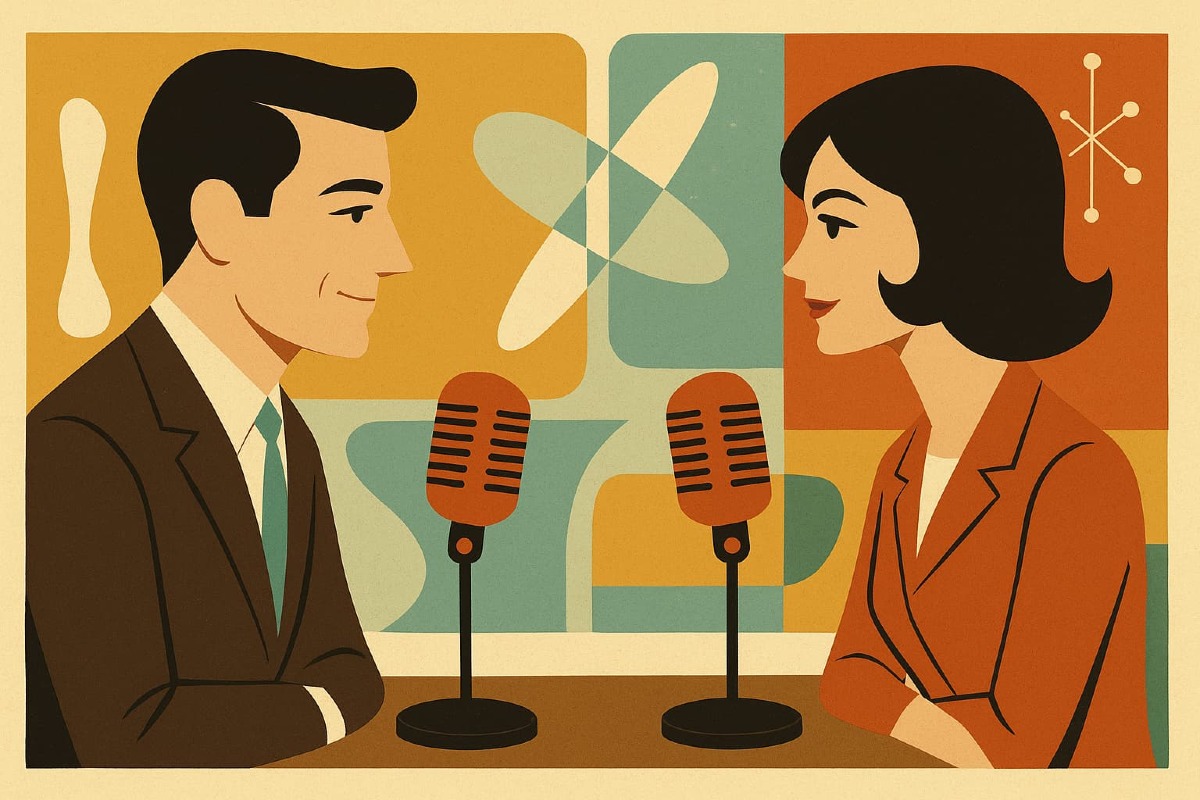
Good audio sticks with people. The right gear and setup make a big impact, but you don’t need a full studio. Here’s how to put your best voice forward:
Affordable Tools for Recording:
- USB microphones: The Audio-Technica ATR2100x, Samson Q2U, or Blue Yeti (this is what I have) work well for beginners.
- Headphones: Any closed-back headphones help you catch background noise during playback.
- Recording software: Free apps like Audacity (Windows, Mac) or GarageBand (Mac) are great starter choices.
DIY Recording Tips:
- Record in a small, quiet space (closets work wonders).
- Turn off fans, air conditioners, and noisy electronics.
- Place foam, blankets, or pillows nearby to soak up echoes.
If your voice or time feels stretched, you can always hire a narrator from sites like Fiverr or Voices.com. Listen to sample reels before committing.
Editing and Finalizing Your Audio Asset
Once you’ve recorded, editing pulls it all together. Don’t worry as basic edits can make you sound polished without hours of work.
Simple Editing Steps:
- Trim mistakes and silences. Cut out false starts, long gaps, or flubbed words.
- Level your audio. Make sure your voice stays at a steady volume.
- Add music or sound effects—if it fits your style but keep it subtle.
Recommended Software:
- Audacity: Free, cross-platform, and packed with features for cutting and cleaning up sound.
- Descript: Lets you edit audio by editing a transcript, which is ideal for first-time editors.
- Adobe Audition: More advanced, perfect for those wanting extra control.
Tips for a Pro Finish:
- Always listen with headphones before you publish. They reveal background hiss or pops your speakers might hide.
- Export your audio as an MP3 for general use or WAV for best quality.
- Save backups just in case.
Clean editing shows you care. That extra polish makes your audio worth listening to—start to finish.
Best Practices for Publishing and Promoting Audio Assets
Audio assets need more than just careful recording as they also need strong publishing and smart promotion to truly connect with your audience. You can have an excellent podcast, narrated post, or audiogram, but without the right visibility, it will go unheard. Let’s break down the steps you should follow to make sure your audio content gets noticed, streamed, and shared.
Publishing Your Audio: Where to Share for Maximum Reach
You need to put your audio where your ideal audience is already listening. Depending on your format and goals, here are some top channels to consider:
- Podcast platforms: Submit your audio to places people actually search—Apple Podcasts, Spotify, Google Podcasts, Amazon Music, and Stitcher. Use a podcast hosting service like Buzzsprout or Libsyn to automate distribution to these outlets.
- Social media: Short clips and audiograms perform well on Instagram, Twitter, LinkedIn, and Facebook. Use a visual waveform or captions to catch attention while scrolling.
- Your blog or website: Embed full episodes or audio snippets directly in your posts. This gives regular readers a direct way to listen, and helps with SEO by keeping visitors on your site.
- YouTube: Convert audio into static video or pair with simple visuals—YouTube’s reach for audio is huge, especially for longer episodes.
- Email newsletters: Share new releases with your subscribers. Include direct links or embedded players if your platform supports it.
Making your audio accessible across more than one platform doubles (or triples) your odds that the right person will find it.
Optimizing Metadata for Discovery
Metadata is like the label on your audio asset. If it’s missing, unclear, or full of fluff, listeners may never discover your content—even if it’s exactly what they want. Smart metadata means your audio gets found, shared, and recommended.
Focus on these basics:
- Clear titles: State what the episode, post, or snippet is about. Keep it obvious and keyword-friendly.
- Descriptions: Write 1-3 sentence summaries using key search terms. Make the benefits clear from the first line.
- Tags and categories: Select accurate, relevant topics or tags. Most platforms rank or sort audio by these.
- Episode numbers and series names: Helps with organizing multi-part content so listeners can jump in anywhere.
- Show notes: List out main points, guest names, links, or related resources for deeper engagement (and SEO).
A strong title or summary makes your audio inviting to both listeners and search engines.
Promoting Audio Content for Audience Growth
Once your audio is live, active promotion brings in both loyal fans and new listeners. Consistent marketing steps create ongoing momentum.
Try these promotion tactics:
- Share engaging snippets: Pull out a punchy quote or story and make it into a short, shareable audiogram for social media.
- Include in regular email updates: Highlight new audio releases and top episodes in your mailing list.
- Encourage reviews and shares: Ask listeners to leave a review or share your content with friends—the social proof helps you grow.
- Collaborate with other creators: Cross-promote with partners in your industry for fast audience swaps.
- Submit to curated feeds or newsletters: Sites or emails that recommend the best podcasts or audio content are always looking for new picks.
- Optimize call-to-action: End each audio episode by telling listeners how to subscribe, share, or check out your site.
- Utilize paid promotions wisely: Small budgets on social channels can turn a great clip into a viral moment.
Simple, steady outreach keeps your audio assets in front of fresh ears and builds authority over time.
Distribution and Promotion Quick Reference Table
Here’s a glance at some top distribution channels and what to focus on for best results:
Share your audio content through a mix of channels to reach people wherever they spend their time. Podcast platforms like Apple and Spotify are your go-to for full episodes, so use clear titles and solid metadata to help people find you.
For social media, short audiograms and clips paired with eye-catching visuals and hashtags boost engagement.
On your website or blog, embed full episodes and keep an updated archive with show notes for depth and easy access.
Email newsletters are great for direct promotion to loyal fans but be sure to write engaging blurbs and include direct links.
YouTube helps you tap into new audiences, so keep the visuals simple to let your audio stand out.
Keep your workflow simple, publish and promote on a regular schedule, and your audio will keep showing up where your audience is looking.
Measuring Success: Analytics for Repurposed Audio Content
Once your blog content has been transformed into audio, it’s time to track its impact. Without clear data, you’re flying blind. Analytics offer you the feedback loop you need, revealing which episodes or clips attract listeners and which ones get skipped.
By focusing on a handful of key metrics, you can learn what your audience loves, spot weak points, and shape future projects for even better results.
Let’s break down the must-watch numbers and what they really mean.

Key Performance Indicators for Audio Content Success
You don’t need to drown in data. Stick to a handful of numbers that signal real growth and engagement. Here are the primary indicators worth tracking:
- Listens/Streams: Total number of times your audio plays across all platforms
- Downloads: How often users download your audio file for offline listening
- Unique listeners: The number of individual people tuning in (not just repeat visits)
- Engagement rate: How long listeners actually stick with your content—measured by average listening time, completion rate, or skip points
- Subscription/follower growth: Tracking new regular listeners or followers over time
- Shares and comments: Listener feedback and shares on social channels, blogs, or podcast apps
- Click-throughs and conversions: How many people take action after hearing your audio, like clicking a link or signing up for more
These core metrics are available through hosting platforms, analytics dashboards, or built-in tools in podcasting and social audio apps. Focus on trends, not just one-off spikes.
How to Interpret Audio Analytics
Once you have numbers in hand, the real work starts. Use these insights to answer three big questions:
- Are listeners finding you?
- Steady increases in total plays, downloads, and unique listeners signal your reach is growing.
- Are they staying with you?
- High engagement rates and strong completion percentages show people like what they hear. If you notice big drop-offs at certain timestamps, review those sections and maybe they’re too slow, or off-topic.
- Are they taking action?
- More shares, comments, or clicks post-episode mean your content inspires action and is worth repeating. Low conversion numbers can signal a weak call-to-action or a poor fit between your audio and target audience.
If you see a slow month, compare your most and least successful episodes. Pay attention to:
- Episode topics with high completion rates
- Formats (short clips vs. full narration) that hold attention
- Platforms that bring in most listeners
Leveraging Audience Insights for Refinement
Armed with analytics, you can confidently refine and improve your audio assets. Here’s how:
- Tailor future content to formats and topics that keep listeners engaged.
- Schedule releases based on when your audience is most active.
- Tweak intros, outros, or segment lengths if you spot repeat drop-offs.
- Double down on channels or platforms driving the most new fans.
- Test new types of calls-to-action and track click-throughs or leads.
With each project, analytics will paint a clearer picture of what works and what doesn’t.
Here’s a quick summary of which audio metrics matter and why they’re useful. It’s helpful to check these numbers regularly so you know what’s working and what needs attention.
- Total listens or streams show how many times your audio is played. Track changes month to month to spot steady growth.
- Average listen time tells you if people stick around or drop out early. Aim for most listeners finishing at least 60 percent of each episode.
- Completion rate reveals how many go all the way to the end. Higher numbers mean your content holds interest from start to finish.
- Conversion rate counts how often listeners take a next step, like clicking a link or subscribing. A rate of 2 to 5 percent is a good sign your call to action is clear.
- Subscriber growth measures how many regular followers you’re gaining. Slow but steady increases mean more people are coming back for new episodes.
- Drop-off points highlight where most listeners stop listening. If people leave early, consider shortening your intro or tightening up pacing.
Focusing on these simple metrics gives you a clear snapshot of your audio’s impact and helps you see where a few tweaks could improve results.
Total listens show the number of plays and streams your audio receives each month.
Steady growth month-over-month tells you more people are tuning in or returning.
Average listen time helps you see if listeners stay engaged; aim for 60% of each episode played to the end.
High completion rates mean your topics and delivery keep people interested from start to finish.
Conversion rate tracks how many listeners take a key next step, like clicking a link or sharing your audio. Hitting 2-5% or higher means your calls to action resonate.
Subscriber growth measures new followers or regular listeners, with a consistent uptick showing your content hooks people over time.
Watch where listeners drop off. If many stop early, try streamlining intros or tightening the most common exit points.
The goal is to minimize early exits and keep more of your audience until the end.
Review the above often and make small changes for steady improvement.
Using Analytics Tools
Many audio platforms offer built-in analytics to keep things simple. If you want extra detail, try:
- Apple Podcasts Analytics (for detailed episode data)
- Spotify for Podcasters (shows audience breakdown by age, gender, country)
- Google Podcasts Manager (for completion rates and device data)
- Third-party dashboards like Chartable or Podtrac (deeper cross-platform comparison)
Set aside time every month to review your stats. Your goal isn’t just to collect numbers, but to act on what you learn and watch your audio audience grow.
Conclusion
Transforming blog posts into audio can extend your reach and stretch the value of work you’ve already done. Audio taps into new audiences, supports hands-free learning, and meets a growing demand for content that fits into busy lives. When you use your existing blog as a base, you save time and multiply the ways people can discover and engage with your ideas.
Every blog has the potential to work as a podcast, an audiogram, or a narrated post—sometimes all three. You do not have to pick just one format. Try out different audio styles and see what fits your readers best.
Ready to give it a shot? Experiment with your most popular articles, test new formats, and watch how your audience responds. If you’ve tried repurposing your content into audio, share your wins and lessons in the comments. Let’s keep learning from each other and find what truly works. Thank you for reading—your insights help shape the next wave of smart, creative content.